
Account & Data
Delete Account
You can delete your account and all associated data directly from the app. This action is permanent and cannot be undone.
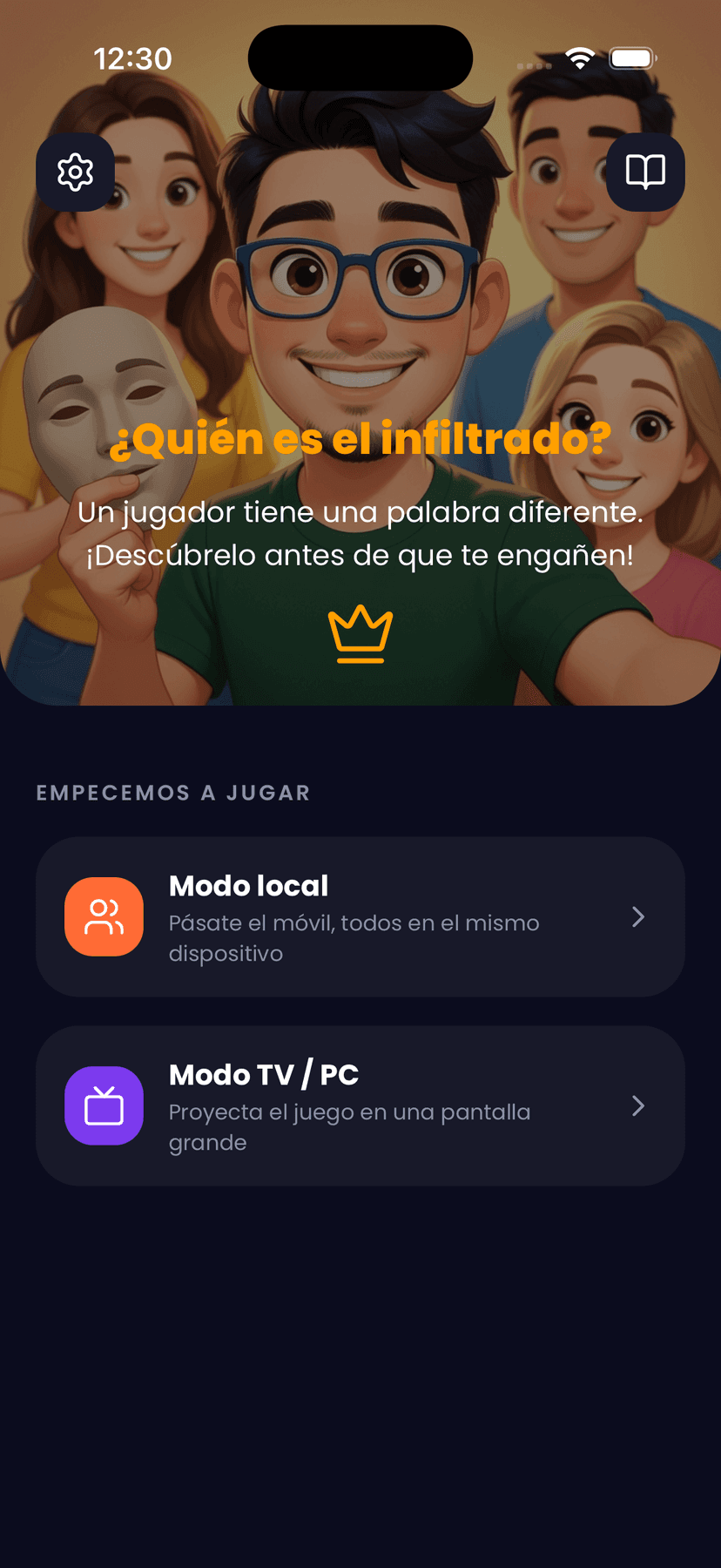
1Step 1
Open Settings
On the main screen, tap the settings icon in the top-left corner.
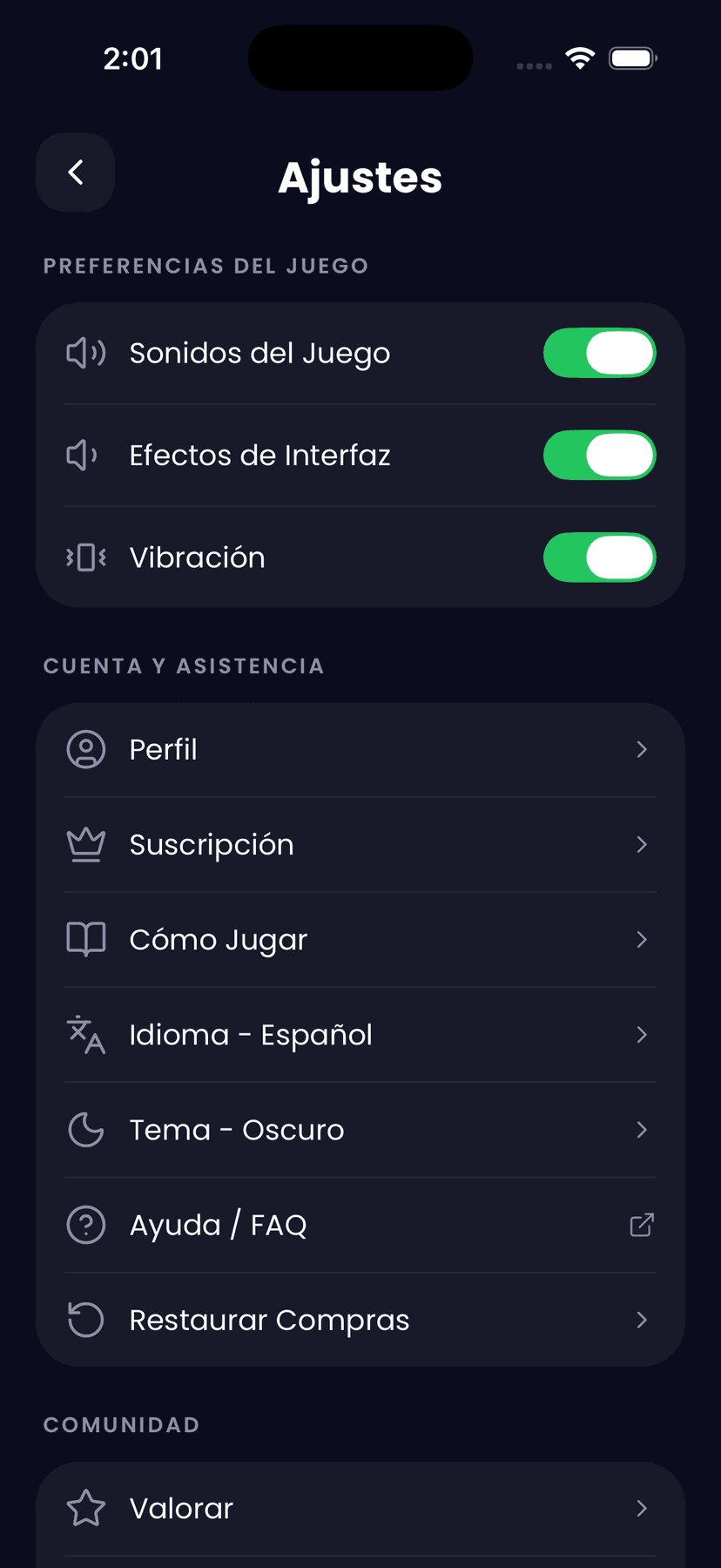
2Step 2
Tap "Profile"
Inside Settings, under the “Account & Support” section, tap the Profile option.
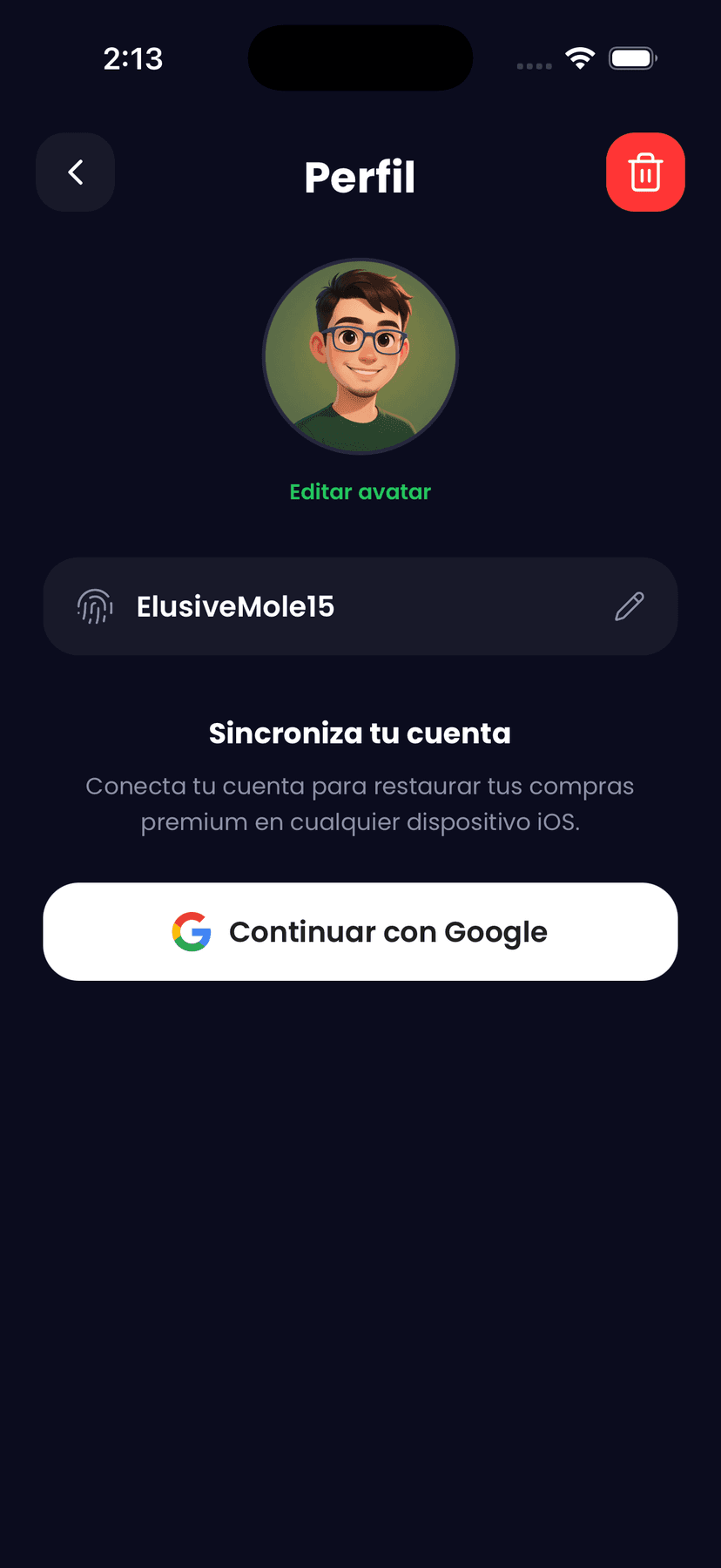
3Step 3
Tap the delete icon
On the Profile screen, tap the red button in the top-right corner.
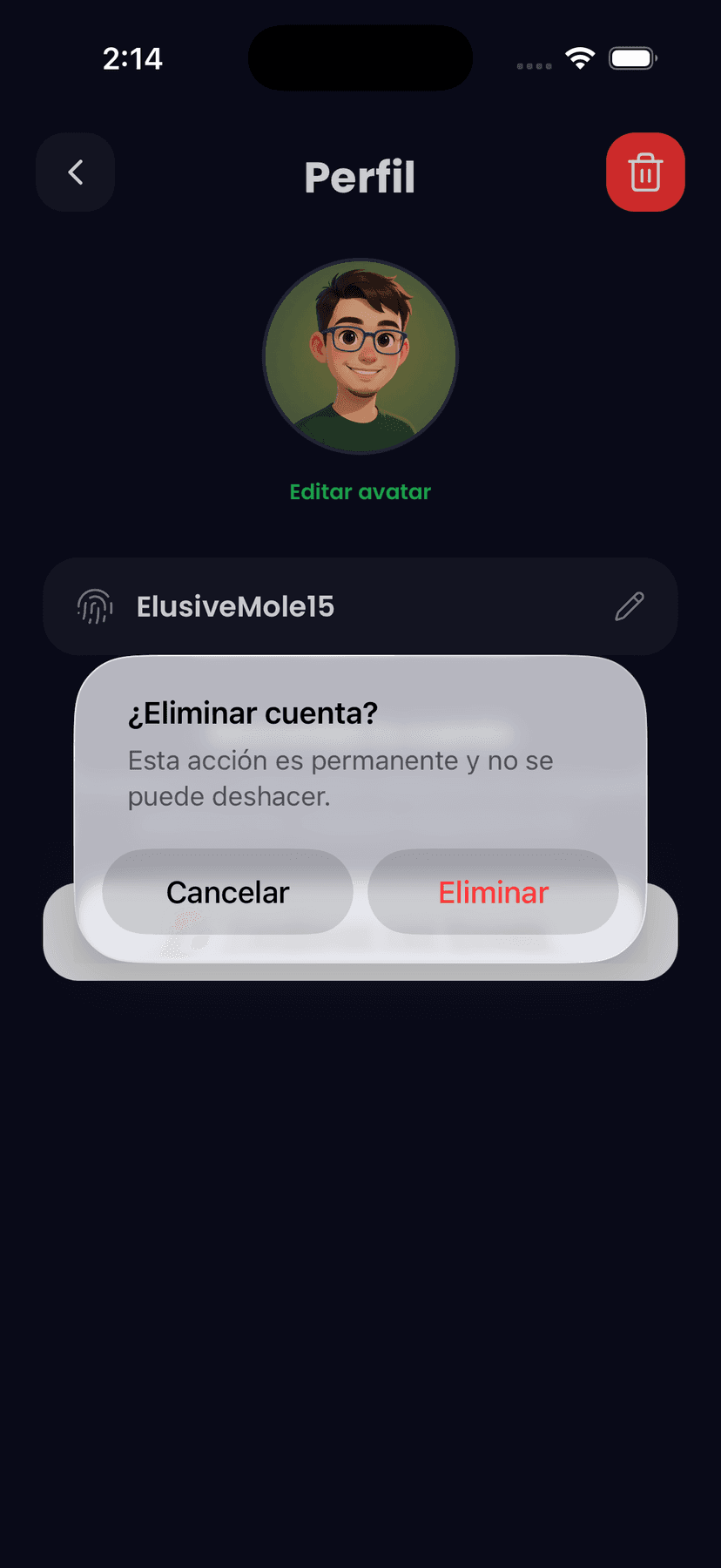
4Step 4
Confirm deletion
A confirmation dialog will appear. Tap “Delete” to permanently erase your account and all associated data.
Data that is deleted
- User account (email or Google)
- Username and avatar
- Game statistics and progress
- App preferences and settings
If you have an active subscription, you must cancel it separately from Google Play → Subscriptions. Deleting your account does not automatically cancel your subscription.
Need help?
Contact us at dahoreddiegohernandez+myappcube@gmail.com and we will process your deletion request within 30 days.